Quick Start
Get JamBot running in your Discord server with these simple steps.
Prerequisites
- Python 3.11+
- Discord Bot Token (Setup Guide)
- Spotify API Credentials (Setup Guide)
- Docker (optional, for containerized deployment)
Installation
1. Clone the Repository
git clone https://github.com/asachs01/jambotcd jambot2. Install Dependencies
pip install -r requirements.txt3. Configure Environment
cp .env.example .env# Edit .env with your Discord and Spotify credentials4. Run the Bot
python -m src.mainConfiguration via Discord
Once your bot is running, configure everything directly in Discord:
- Get User IDs: Use
/jambot-getid @usernameto get Discord user IDs - Configure Essential Settings: Run
/jambot-setup(admin only) to configure:- Jam leader user IDs (comma-separated)
- Song approver user IDs (comma-separated)
- Spotify Client ID
- Spotify Client Secret
- Authorize Spotify: Run
/jambot-spotify-setupto connect your Spotify account - Configure Advanced Settings (Optional): Run
/jambot-settingsto set playlist channel and name template
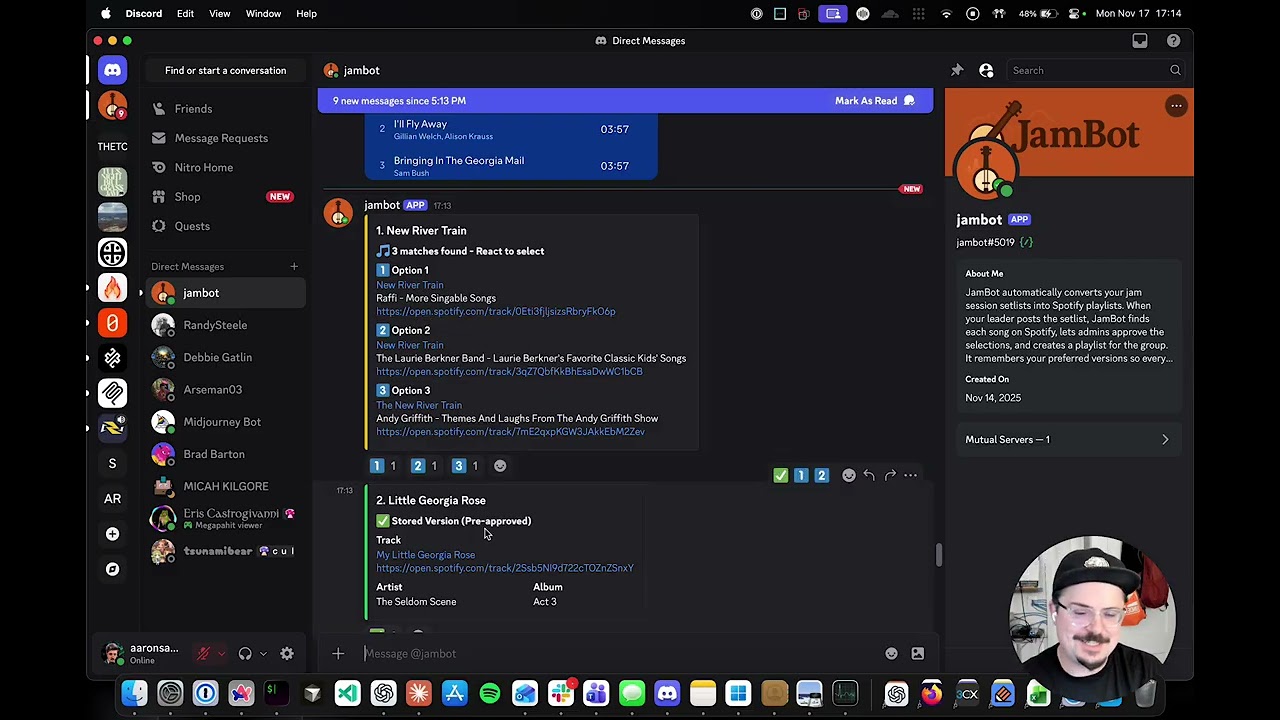
Demo
See JamBot in action:
Docker Deployment
For containerized deployment:
docker-compose up -dView logs:
docker-compose logs -f jambotCloud Deployment
Deploy to DigitalOcean App Platform with one click:

See the Deployment Guide for detailed instructions.